Logging
One tap. Then back to your baby.
The big button always offers what comes next: "He's asleep", "He's awake", "I put him down". Tap it and you're done. Slipped? Edit and Undo are right there.
It's made for the middle of the night, with a baby on your arm and only a thumb free.
- Edit or undo any entry on the spot
- Bottles and solids, plus diapers or a live nursing timer if you switch them on
- Speaks the way you do: he, she or they
- Works offline, and catches up when you're back
Hands-free with Alexa
Hands full? Just say it.
Rocking him, or tiptoeing out of the nursery? Tell Alexa he's asleep or awake and it's logged, the same as a tap, and on every phone right away.
-
"Alexa, tell Baby Schedule he's awake."
Good morning! Theo's up, 6:42 AM.
Woke up · 6:42 AM · by Dad
-
"Alexa, tell Baby Schedule he's asleep."
Nap started, 9:10 AM.
Fell asleep · 9:10 AM · by Mom
-
"Alexa, tell Baby Schedule to undo that."
Removed the 9:10 AM sleep. You can bring it back in Baby Schedule.
Changed your mind? Bring it back in the app.
Sleep and waking work by voice today. Bottles and foods are coming. An Alexa routine you set up once in the Alexa app can shorten a phrase to "Alexa, he's awake."
Today
What's next, without the mental math.
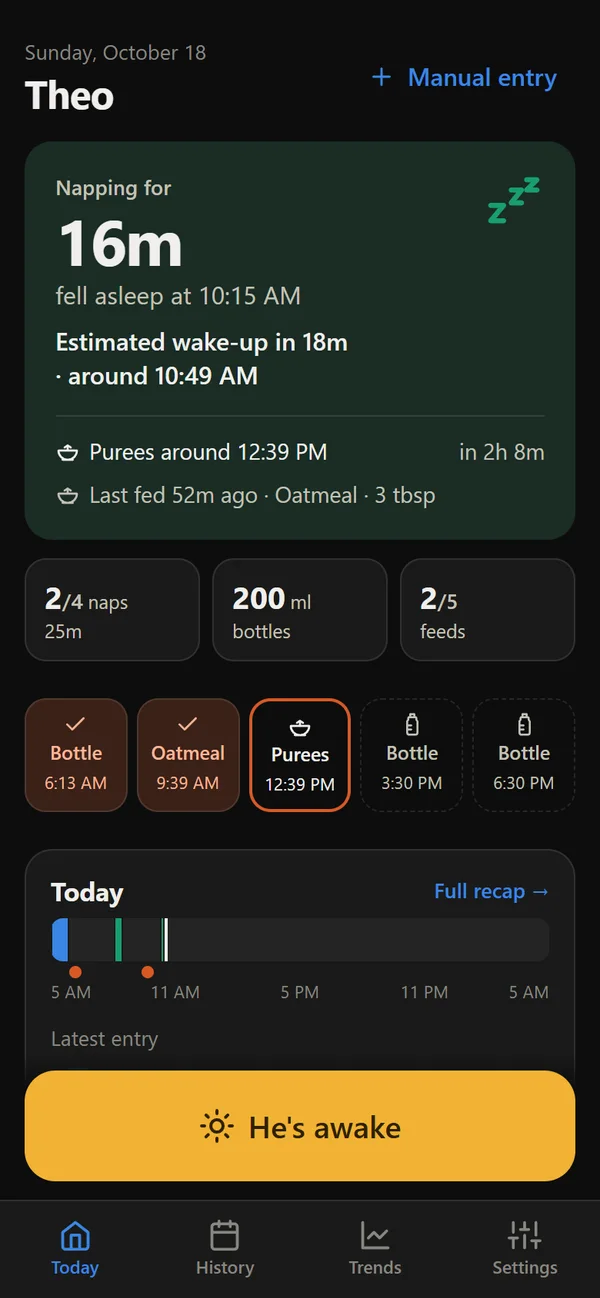
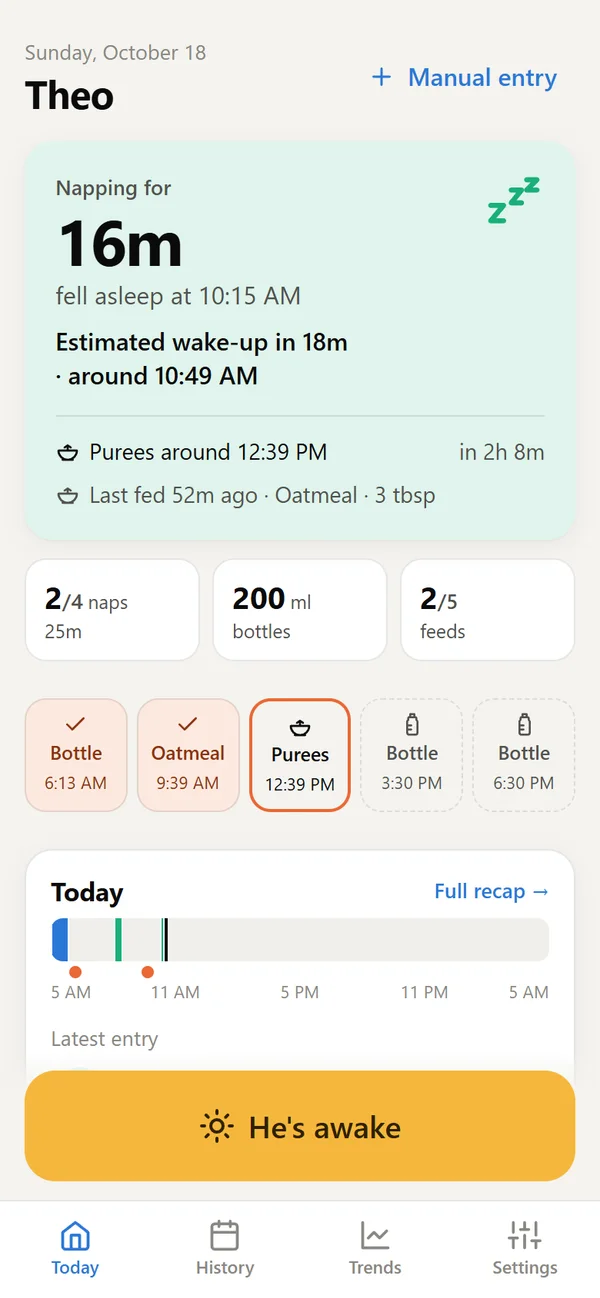
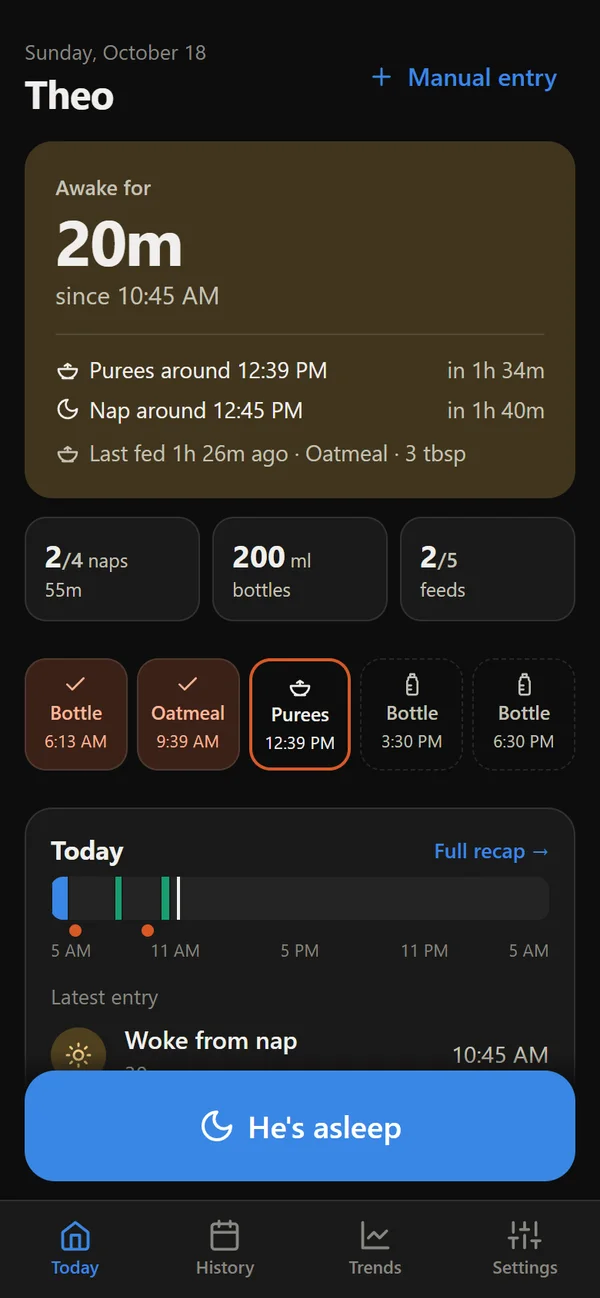
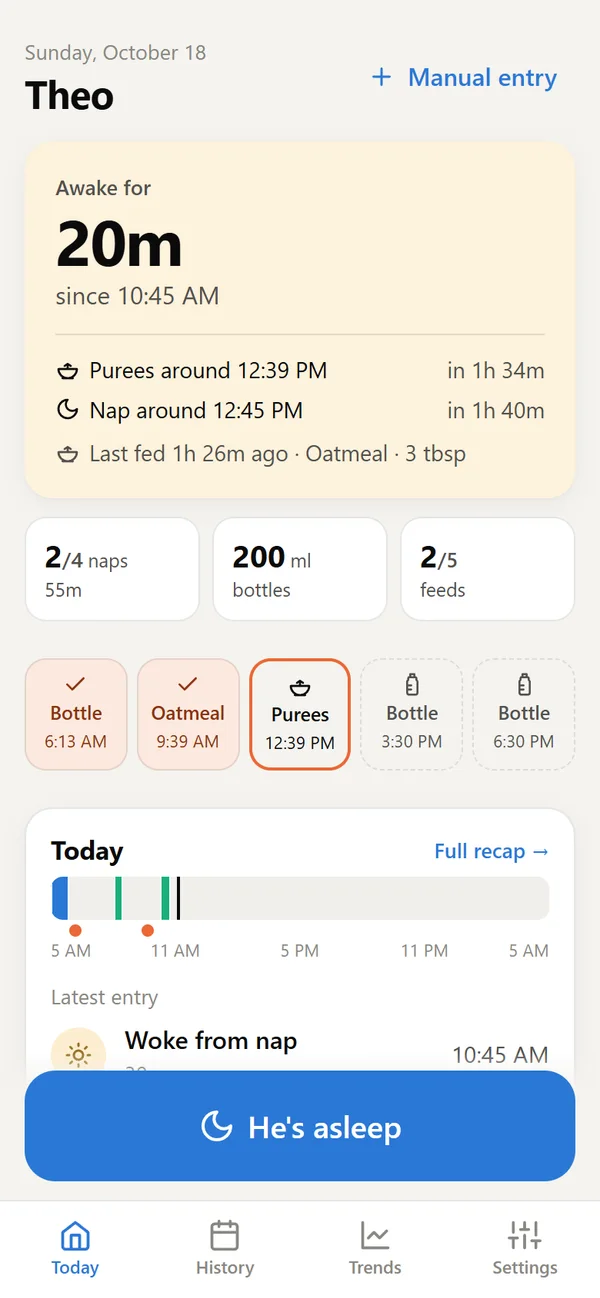
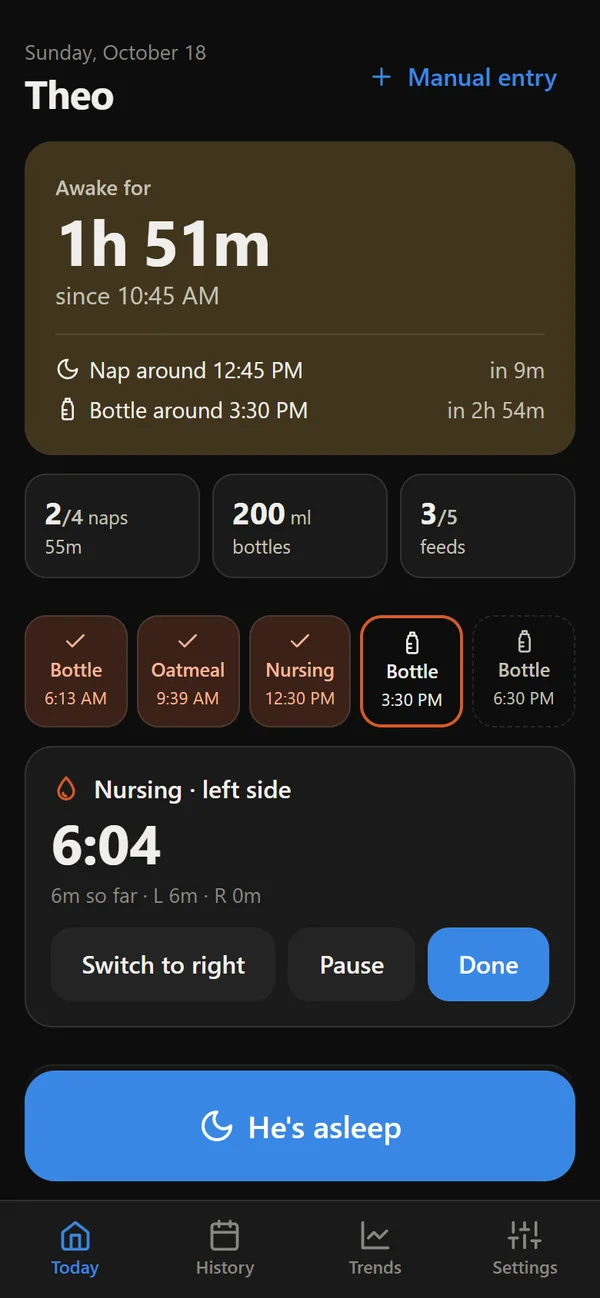
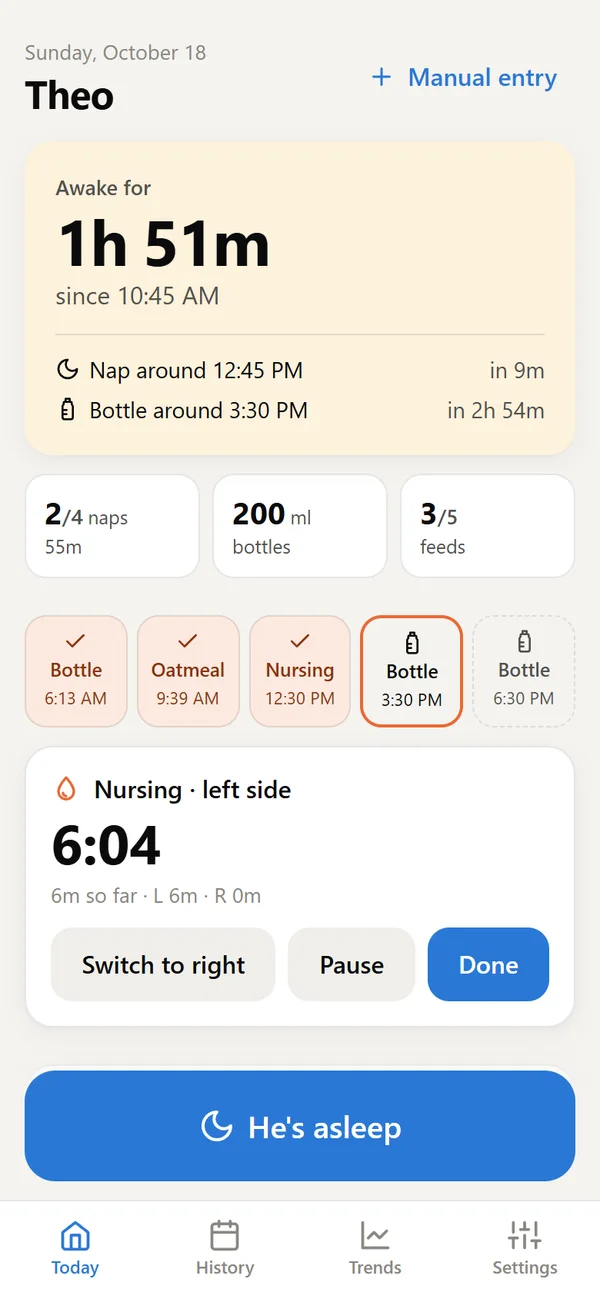
"When did she last eat?" "Is a nap due?" Today answers before you ask: when the next nap and feed should be, the estimated wake-up while your baby sleeps, and how the day is going against the usual rhythm.
Feeding on a timer? Start it on one phone and it ticks on every phone, so whoever takes over knows exactly where things stand.
It only suggests what you've told it to expect, so a brand-new baby with no routine gets a clean, quiet screen.
Day and night
Gentle on sleepy eyes, big and small.
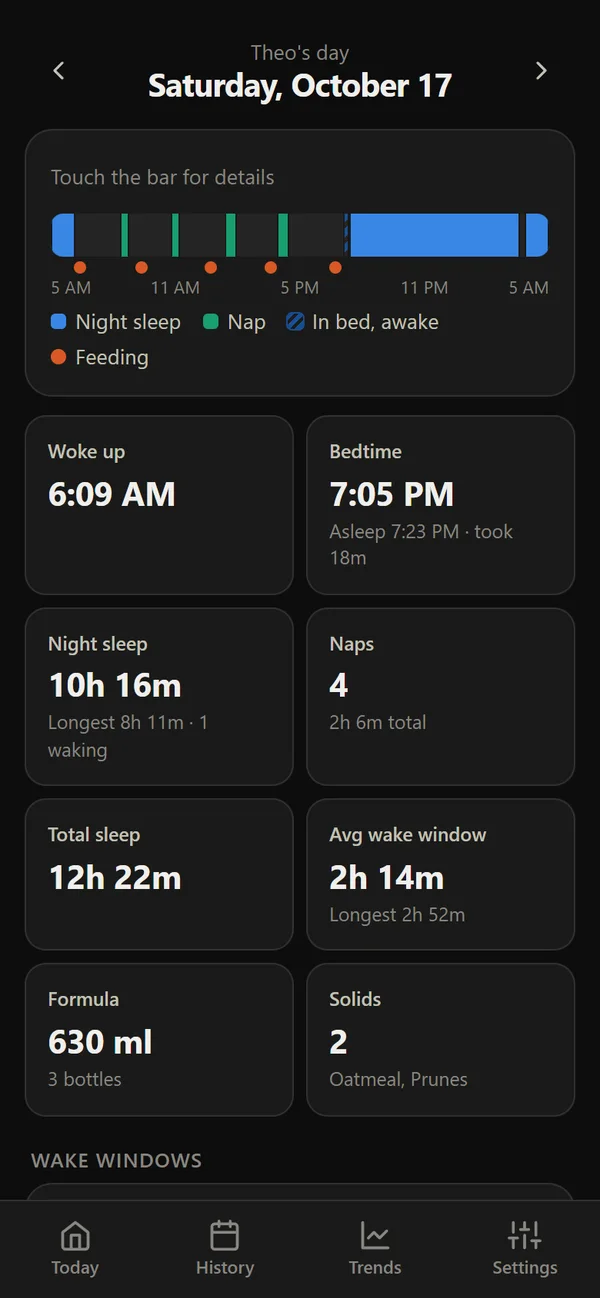
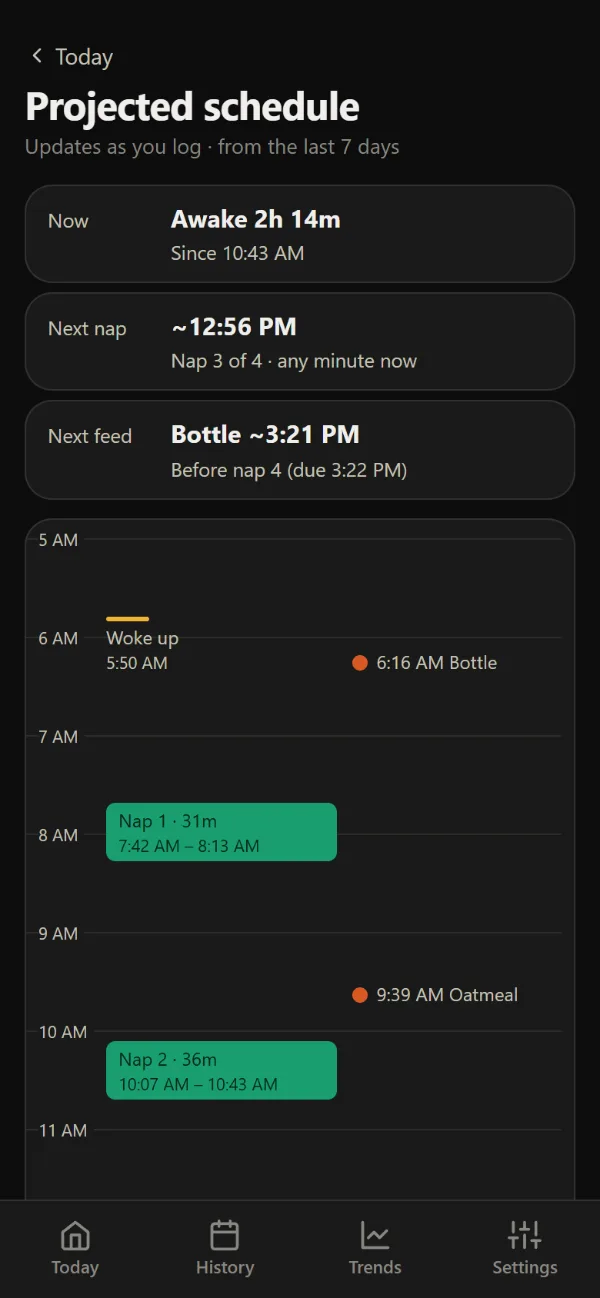
Most logging happens in a dim room. Baby Schedule follows your phone's dark mode, or you can set it to always be dark, so checking the time of the last feed doesn't light up the nursery.
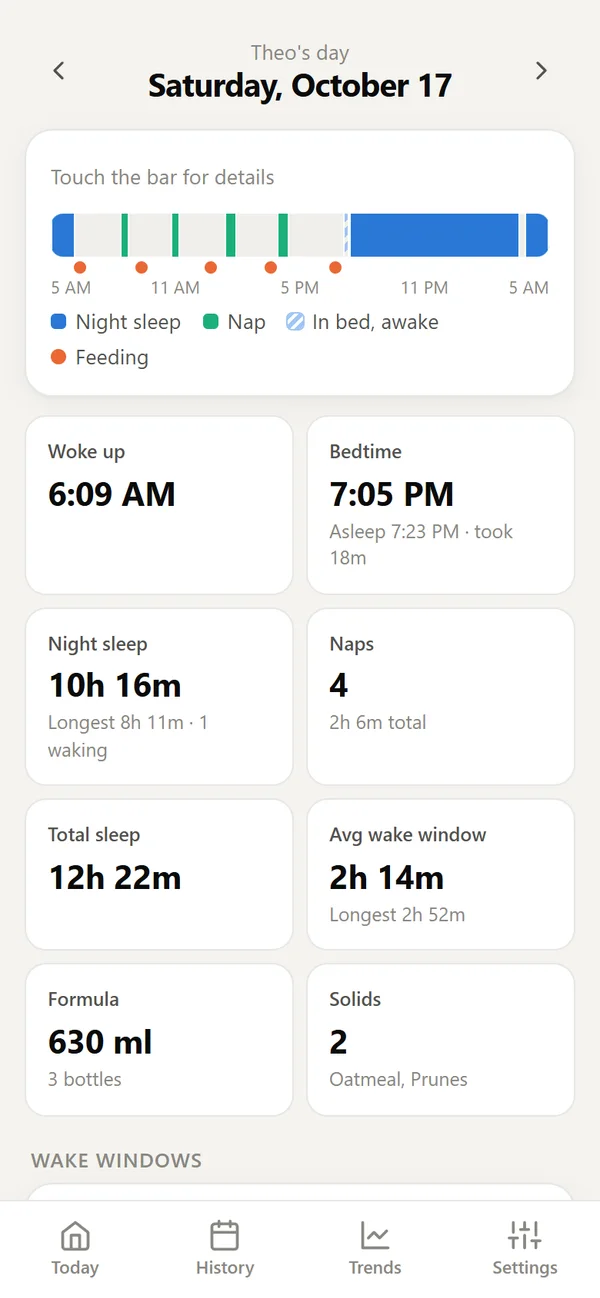
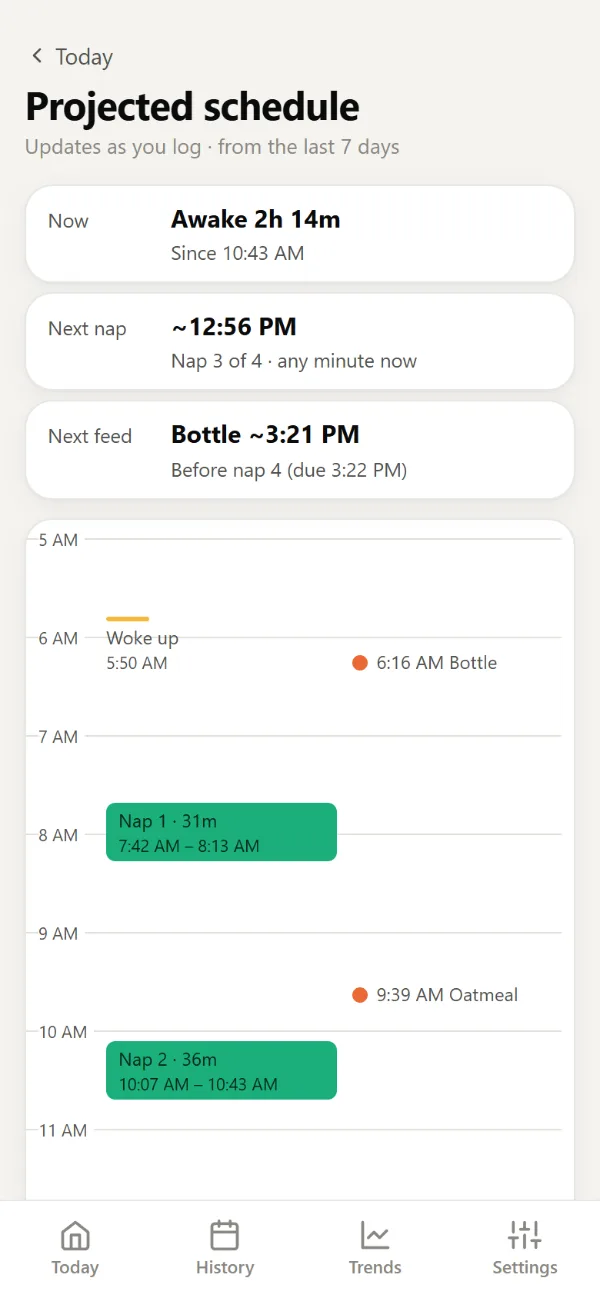
In the daytime, a bright, crisp light mode is one tap away.
- Dark, light, or match your phone
- Calm colors: blue for night, green for naps, orange for feeds
- Big buttons you can hit without looking twice
Daily recap
The whole day, at a glance.
One bar shows every sleep and feed. Tiles show wake-up, bedtime, night sleep, naps and feeds. Swipe between days to see how things are changing.
Handy at the pediatrician's, and reassuring at 3 AM.
- Swipe or tap between days
- Touch the bar for the detail behind each stretch
- Fix an entry later and everything updates
Trends
The long view, when you want it.
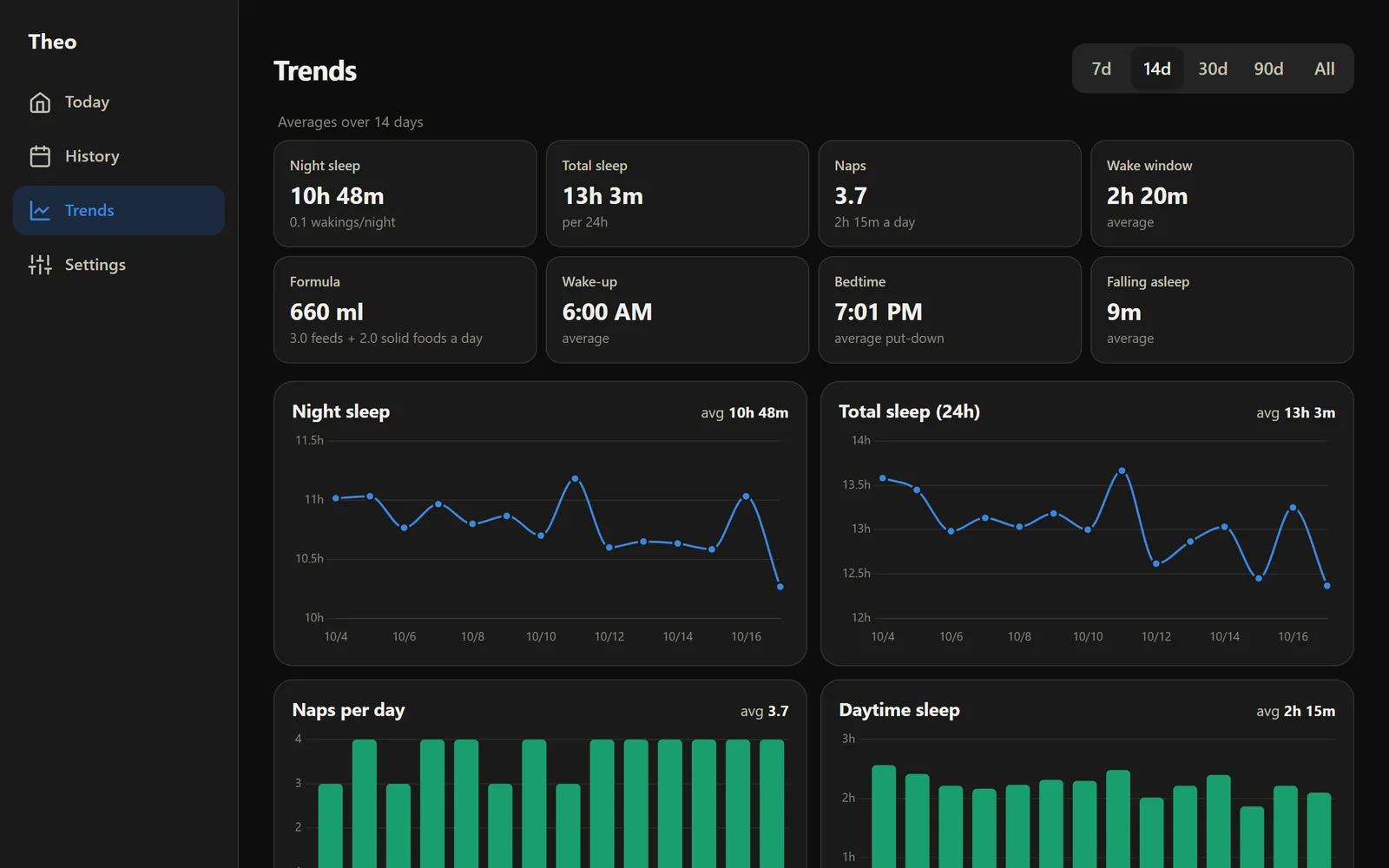
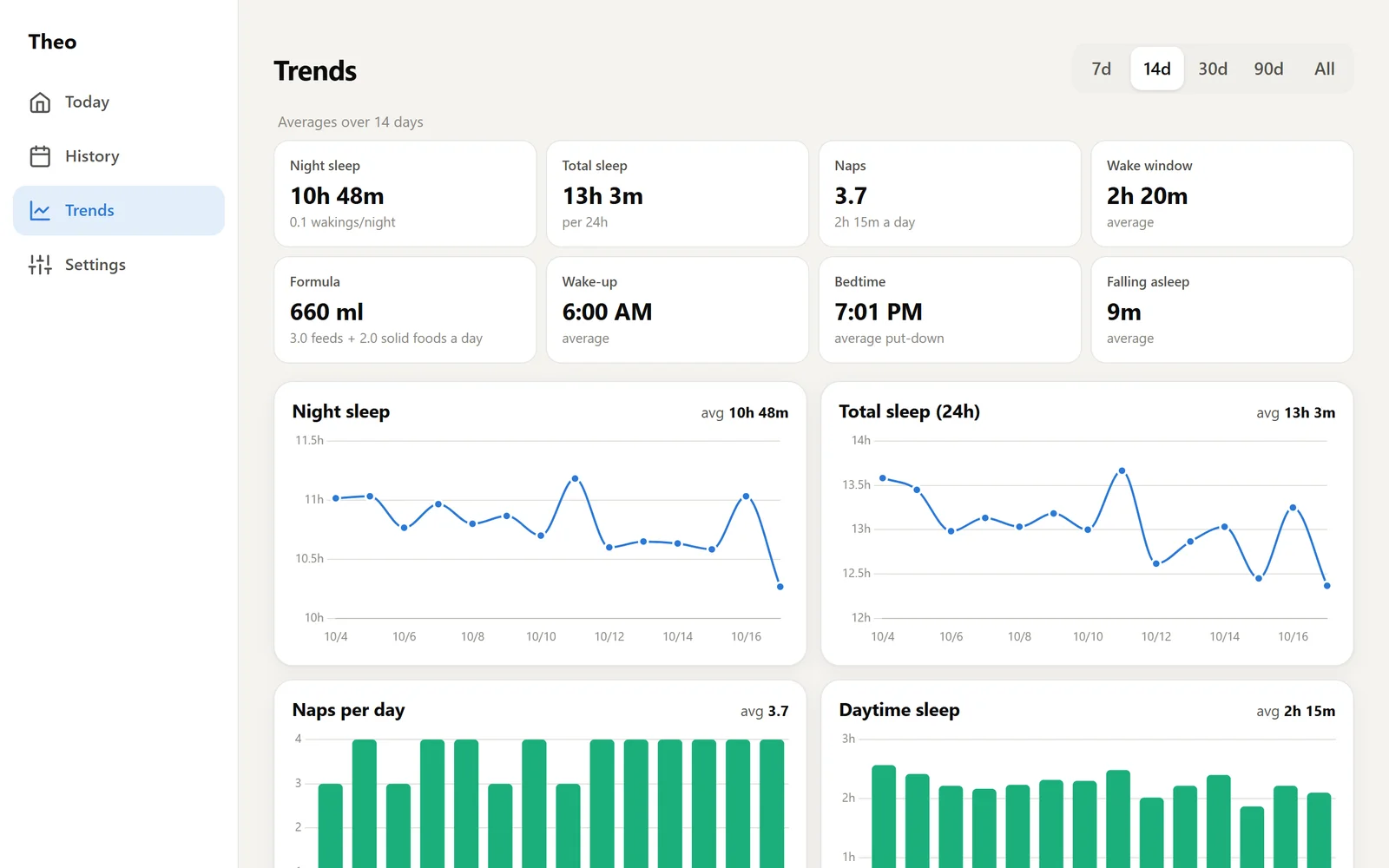
Is night sleep getting longer? Are naps changing? Trends turns weeks of taps into plain averages and simple charts. Days missing a piece are left out, so one forgotten tap doesn't skew the story.
Lovely on a laptop, too, and it exports to a spreadsheet whenever you like.
Together
Everyone who helps, on the same page.
Invite a partner, grandparents or a nanny with a link. Everyone sees the same live day, with who logged what. No more "did anyone feed him?" texts.
You choose what each person can do. A nanny who helps two families sees each one separately, never one from the other.
- Owners, caregivers and view-only guests
- Changes appear live on every phone
- A shared family tablet works too
10:45 AM
6:18 AM
Yesterday
Your routine
Nothing to set up. Everything adjustable.
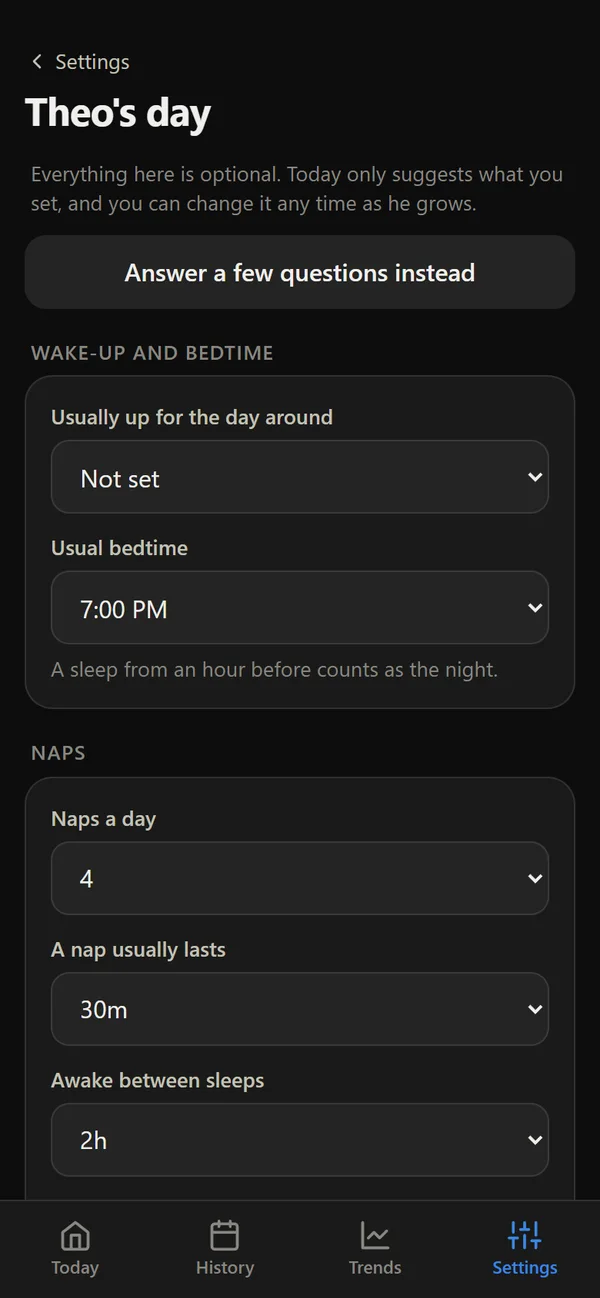
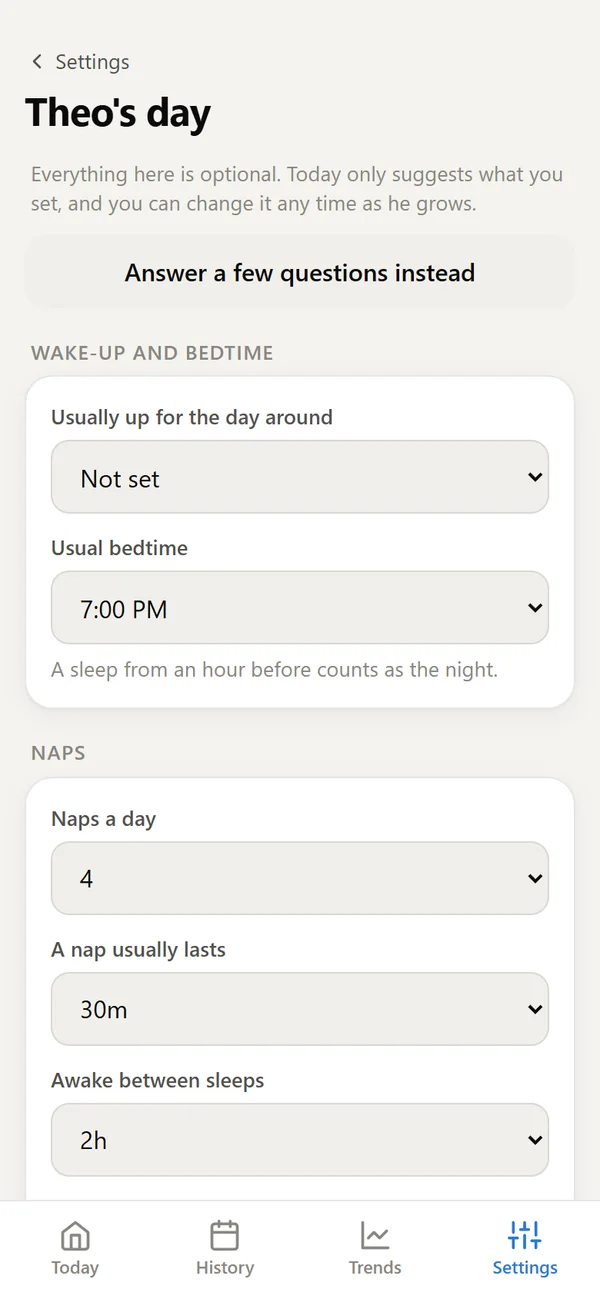
Start logging in seconds. Later, if you like, add the usual bedtime, nap plan or feeding times, or answer a few quick questions for a typical day at your baby's age. Nothing changes until you say so.
Once there's a plan, the projected schedule lays out the rest of the day: the next naps, feeds and bedtime, worked out from what you've logged this week, and updated every time you log.
Every baby is different, and they change fast. Your settings change with them.
- Every setting is optional
- Amounts in ml or oz, or not at all
- Track only what helps your family
A calm place on your phone.
No ads. Ever.
Nobody is selling your baby's naps. If Baby Schedule ever costs anything, it'll be a small, honest fee, and you'll hear about it first.
Private by design
Only the people you invite can see your baby's day. Export everything whenever you like.
Always there
Keeps working with no signal and syncs when it can. Add it to your home screen and it opens like any app.
Easy for everyone
Big buttons, plain words, and colors chosen to be easy to tell apart, color-blind eyes included. Grandparents welcome.
We built Baby Schedule for our own family's long days and short nights. Friends with babies saw it and asked for it, so now we're sharing it.
— Allen, Laura, Theo, and Claude
Questions, answered simply
How do I get started?
Open the invite link someone sent you, sign in with Google or your email (no password needed), and you're in. Want it for your own family? Request an invite (or email hello@mybabyschedule.com) and we'll send you a sign-up link.
What does it cost?
Nothing. It's free while it's shared by invitation, with no ads. If that ever changes, you'll hear well in advance, and nothing is charged without your OK.
Do I need to install anything?
No app store needed. It runs in your phone's browser. For an app icon: on iPhone, open it in Safari, tap Share, then "Add to Home Screen". On Android, open the Chrome menu and choose "Add to Home screen". It works on tablets and laptops too.
Does it work with Alexa?
Yes. While it's new, the Alexa skill is by invitation: ask us and we'll add the Amazon account your Echo uses. Then turn the skill on in the Alexa app, sign in once to link it to your account, and tell it when he falls asleep or wakes up: "Alexa, tell Baby Schedule he's asleep", "… he's awake", or "… undo that". Entries show up on every phone, credited to whoever linked that Alexa. Bottles and foods by voice are coming. For the shortest phrases ("Alexa, he's awake"), set up an Alexa routine once in the Alexa app.
Do I have to fill in a routine first?
No. Start logging right away. Add a routine later if you want suggestions, or answer a few optional questions for a typical day at your baby's age.
Who can see my baby's information?
Only the people you invite, and you decide what each one can do. Families never see each other. More in our privacy page.
What if I have no signal?
Log as usual. Entries are saved on your phone and sync as soon as you're connected again.
Can I take my data with me?
Yes. Export a backup, or a spreadsheet of the daily numbers, whenever you like.